A Cautionary Tale of No Backups
posted Sep 07 2026
updated Sep 07 2026
Written by Travis Avey

A Cautionary Tale of No Backups
So I was setting up podman on my artix laptop, because I was messing with searxng and somehow I managed to delete my $HOME directory.
I know, I know..
How did you manage to do that?
First, I was already too tired messing with podman and containers.conf. I hadn’t setup podman on this system so I needed to setup my ~/.config/containers/storage.conf with something:
[storage]
# Storage driver to use (overlay, vfs, btrfs, zfs)
driver = "overlay"

# Primary storage location for images and containers
graphroot = "$HOME/.local/share/containers/storage"
Then once that is in place running podman system migrate will take up those changes. Podman will default to something like /var/lib/storage and if you run a lot of containers you’ll run out of space. This is due that the root partition, /var will have about 15-20GB of storage (depending on how you set up your system). And that wont be much space if you are running many containers.
Somehow podman info returned /home/travis/~/.local/containers/storage. If you don’t know $HOME is the same as /home/travis and ~ is a shortcut to /home/travis. So there was something off. It looked like there was an extra home directory in my home directory.

Time to investigate:
cd ~
ls
‘~’ dev Documents Downloads Videos
That ~ is very odd being there. I did recall doing mkdir -p ~/.local/containers/storage, but I don’t think that should have created that ~ inside of ~
So I went into that ~ directory
cd ~

ls

‘~’ dev Documents Downloads Videos

pwd

 /home/travis/~/~
Something was wrong and without thinking, remember I may have been a bit tired already, I went ahead with:
rm -rf ~
As soon as I hit enter, I knew it was a mistake. But it was too late. Everything was gone.
SSH keys? Gone
My Game I was working on? Gone.
All my configuration settings? Wiped.
Anything in my $HOME or /home/travis or ~ was deleted.

I was most salty about my game. I hade made some progress and was an idiot and forgot to run git push
I had a state machine for game flow of startup/splash -> menu -> playing level -> menu and was in progress of a shader, that I am still trying to figure out. The state machine was easy to get back, but the shader I had working I will have to relearn. Fortunately, I had my dotfiles backed up in codeberg: https://codeberg.org/aveydotdev/dotfiles
I got my system back to where it was, mostly. Somethings are acting funky, like feh for backgrounds in i3wm. But not a big deal, I don't see my desktop background that often when running a tiling windows manager.
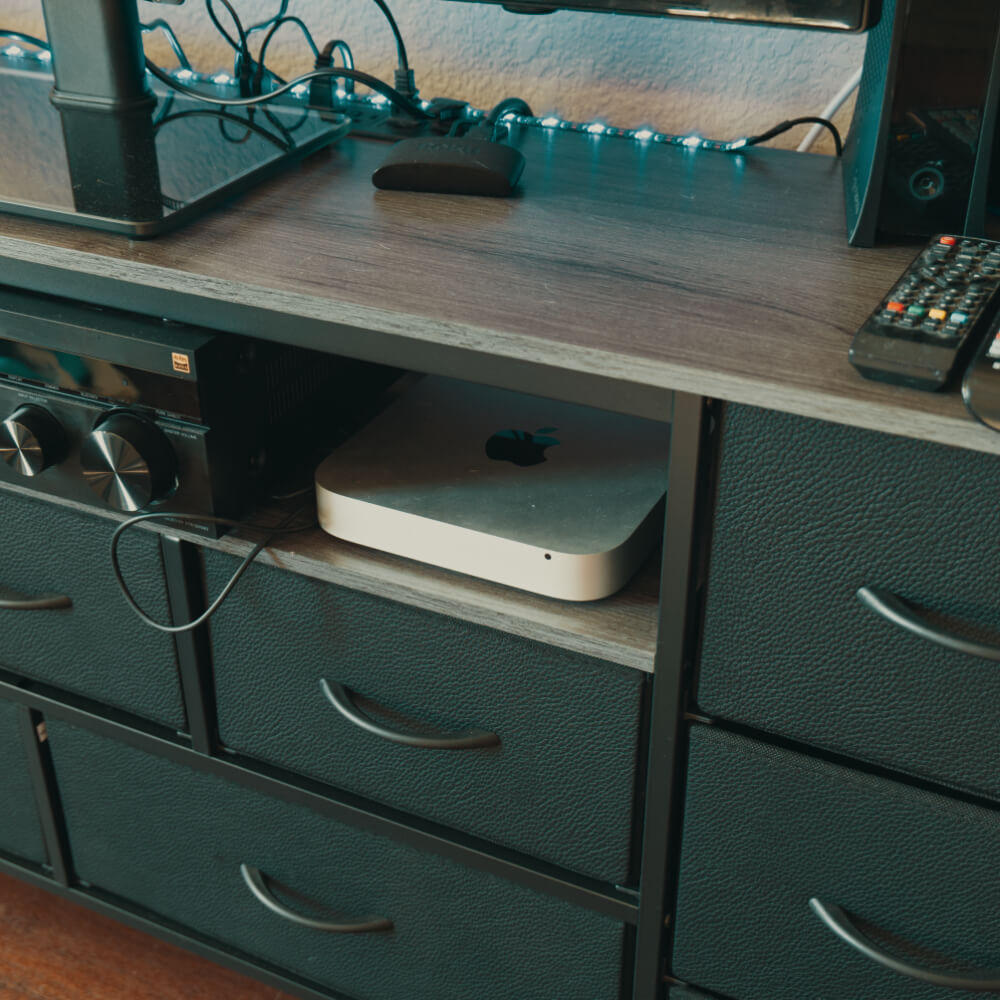
Anyways, now I have setup my Mac Mini running fedora connected to my router that sits on the family room entertainment center. We just moved to an apartment so I don’t have the room for a full home lab setup just yet. Anyways, this is where I will do my container development.
But more importantly is this word of caution dear reader: be careful with running commands when you are tired and without any sort of back up system.
I treat my linux machine as ephemeral and I have almost everything stored in git and it’s not too hard to get back to where I was. As long as I can remember to run git push ! I wouldn’t have cared as much, but lost a lot of work with my game.
What’s next? I’m investigating a backup system that I can sync to either cloud storage or another computer running here.
https://restic.net/ looking promising, and I hear you can sync with backblaze.
An easier solution is just going to be a chron job with running tar on my home directory:
tar -czvf /backup/backup-$DATETIME-tar.gz /home/travis
I think I will setup a backup solution... soon, even though this is the first time I felt betrayed by my own actions by not having a backup in place.
Lessons learned, sometimes we have to learn the hard way...